S
Sulla Files · mockups
Every place Files shows up. Light Noir palette, static HTML, 390 px to 1440 px. Oct 16, 2026.
390768110012801440
 1
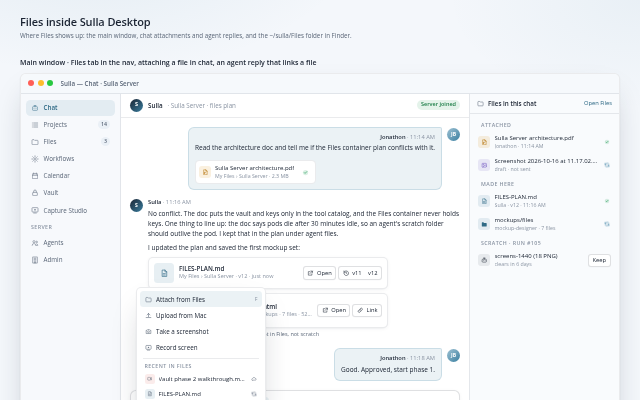
1Desktop appFiles tab in the main nav, attaching from Files in chat, an agent reply that links a file, and ~/sulla/Files in Finder with sync badges.
 2
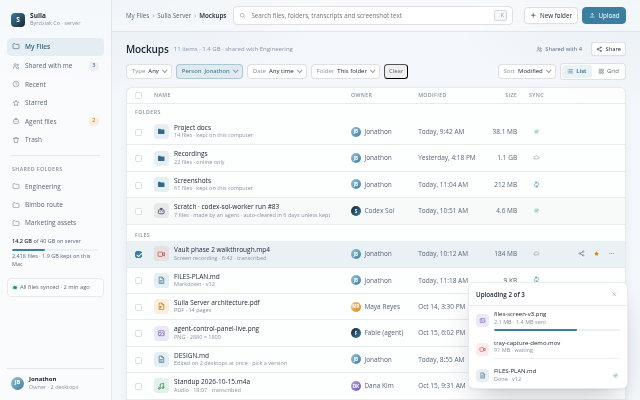
2Server web console · Files screenSame screen as Desktop: nav, breadcrumb, list and grid, sync state per file, search with filters, upload drop zone, agent scratch with Keep.
 3
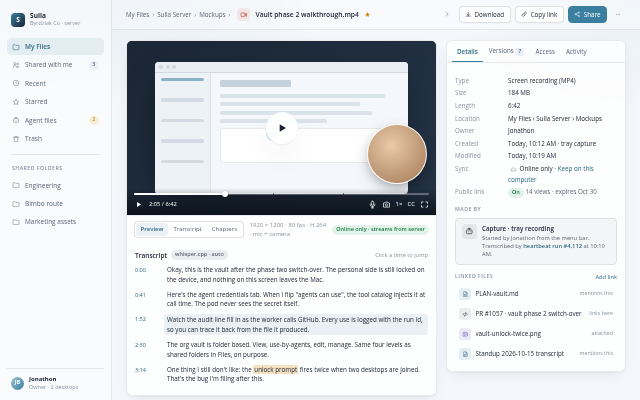
3File detailPlayer with transcript, version history with restore, who has access, linked files, made-by provenance, activity.
 4
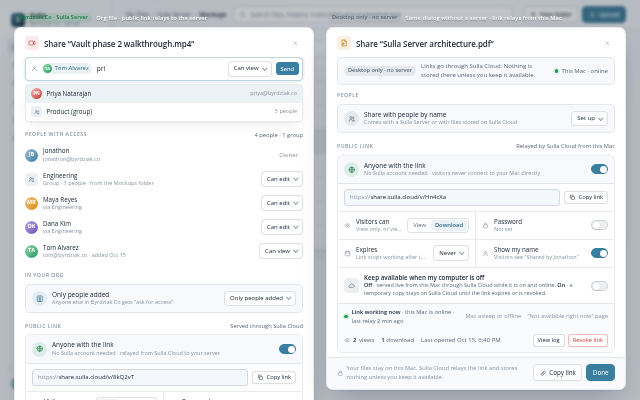
4Share dialogPeople and groups in the org, public link through Sulla Cloud with password, expiry, views and revoke, plus “Keep available when my computer is off”. Shown for a server file and for Desktop only with no server.
 5
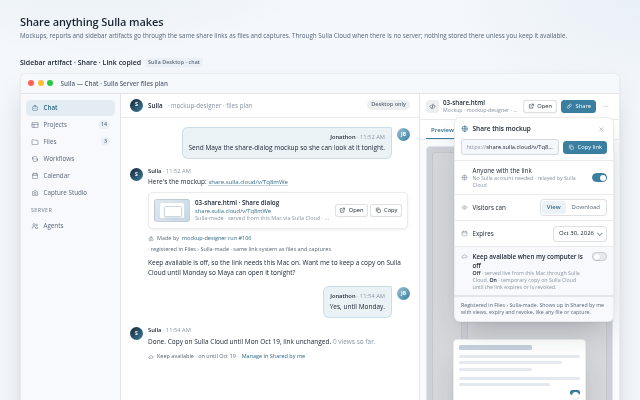
5Share anything Sulla makesSidebar artifact with a Share button and share sheet, an agent reply with the link, and the Shared by me list: files, captures and Sulla-made items with views, expiry, keep-available and revoke.
 6
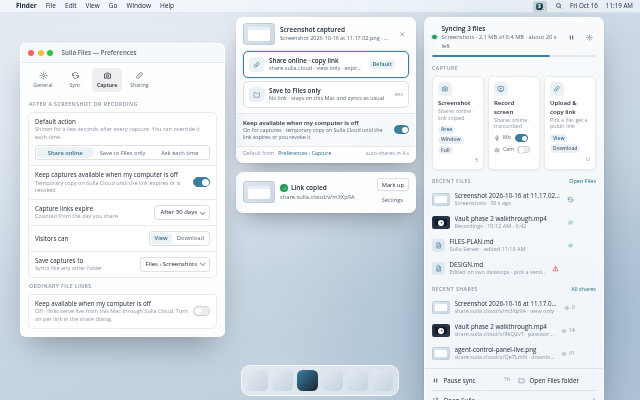
6Tray menumacOS menu bar: sync status, capture buttons, the after-capture choice (Share online or Save to Files only), the Preferences window that sets the default, recent files and shares.
 7
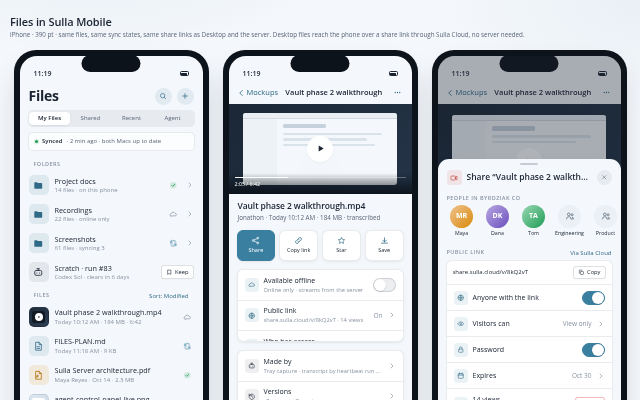
7Mobile appFiles inside Sulla Mobile: list with sync badges, preview with offline toggle, share sheet, upload from camera roll, recent captures, and a Desktop file opened over a share link with no server.
 8
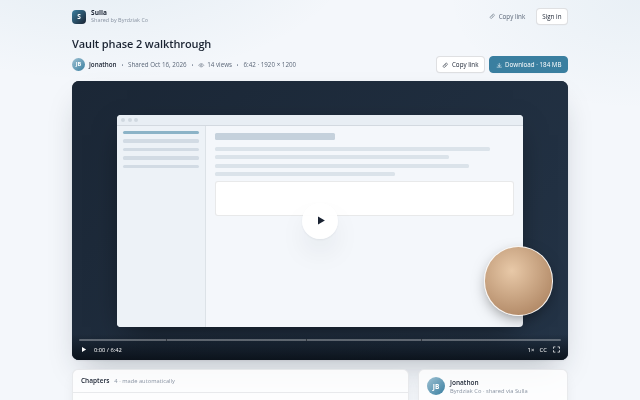
8Shared link pageWhat someone outside Sulla sees: player, title, sharer, view count, chapters and transcript, download when allowed.